HomePlastic surgery simulator › Hair transplant preview
AI hair transplant preview

Hair transplant preview

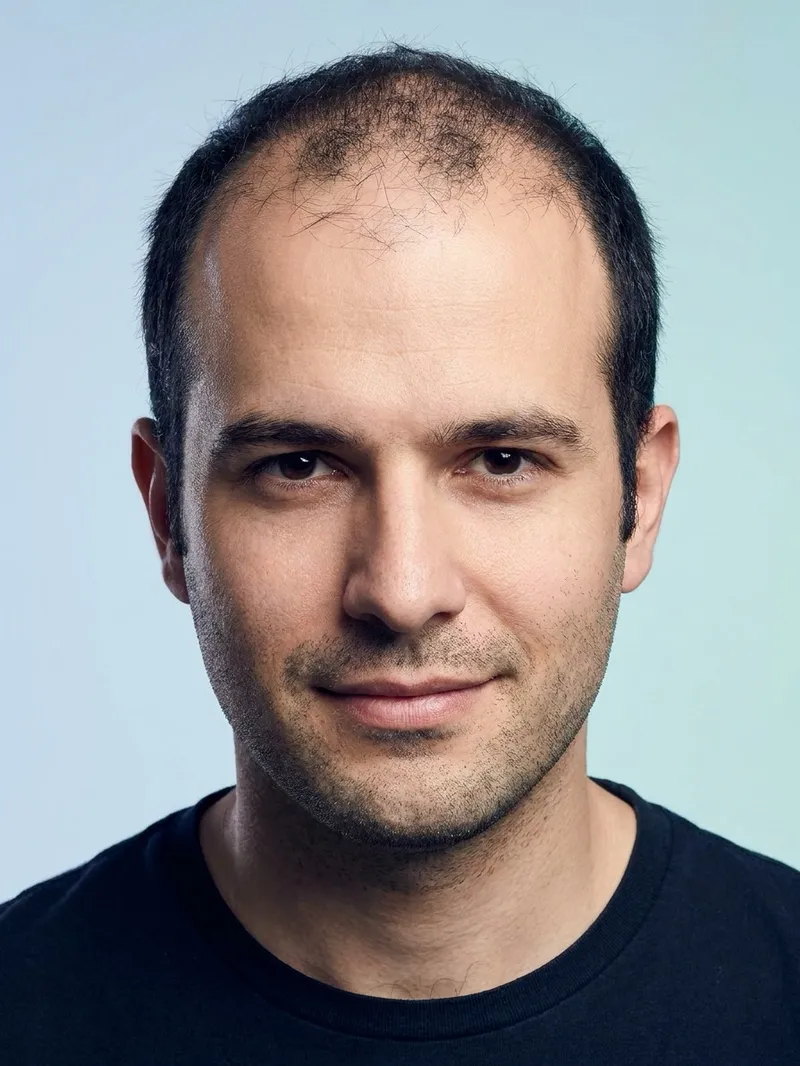
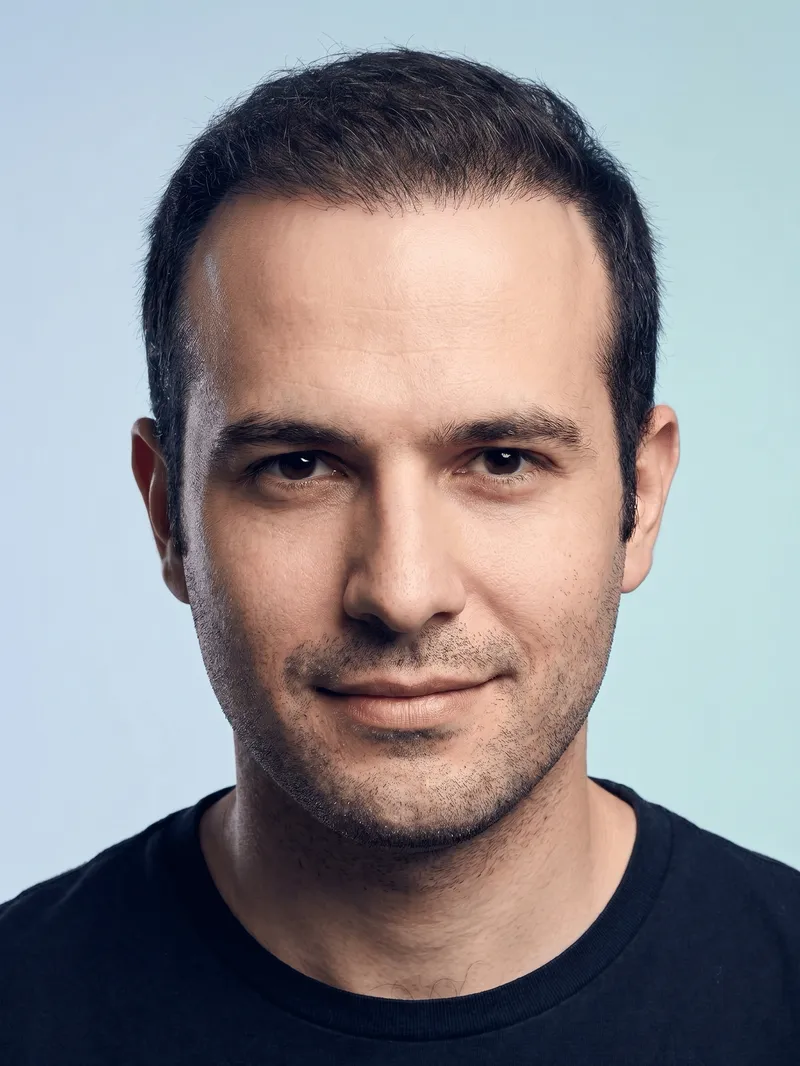
A hair transplant takes a year to show its final result, and clinic before-and-after photos rarely match your pattern of loss. The preview generates the mature result on your own photo: hairline and temples closed naturally, crown and frontal thinning covered, everything else untouched.

Choose a hairline style, compare with the slider, and take the result and the report to a consultation.


Download on the App Store Get it on Google Play
Receding hairline before a hair transplant Hair transplant preview: restored hairline at 12 months
‹›
BeforeAfter

AI-generated visualization on a synthetic face. Drag to compare.

How it works

1Take or upload a photo

A clear, front-facing photo in even light. Some previews also accept a side profile.

2Pick the procedure and a style

Choose what to preview and, where offered, a style such as Natural or Straight.

3Compare before and after

Drag the slider on your own photo, save the result, and export a detailed report to bring to a consultation.

What changes

  • Receded hairline and temples, closed with an age-appropriate line
  • Crown and frontal thinning, covered at natural density
  • Nothing else: same face, beard, skin and expression
AutoStraightV-shapeMatureDense

What stays the same

  • Your hair colour, texture and growth direction
  • Your face and identity
  • Framing, lighting and background
Good to know. The preview shows the settled result, not the shedding phase or early regrowth. Read our recovery timeline to know what the first year actually looks like.

Questions

Is the density realistic?

Yes. The app is instructed to avoid wig-like density and to match your existing hair, so the preview reflects what a transplant can achieve rather than an idealised head of hair.

Which hairline shapes can I preview?

Straight, V-shape, Mature and Dense, or Auto to let the AI choose an age-appropriate line.

Does it work with a beard or long hair?

Yes. Only scalp hair changes; facial hair and the rest of the photo stay as they are.

Can the preview estimate how many grafts I need?

No. Graft counts depend on donor density and the area to cover; a clinic estimates that in person.

Related previews

From the blog

See it on your photo

Free to try on iOS and Android. Your photos are deleted when you delete the analysis.

Download on the App Store Get it on Google Play

Every image on this page is an AI-generated visualization on a synthetic face. It is not a medical prediction and not a substitute for a consultation with a qualified professional.