HomePlastic surgery simulator › Rhinoplasty simulator
AI rhinoplasty preview

Rhinoplasty simulator

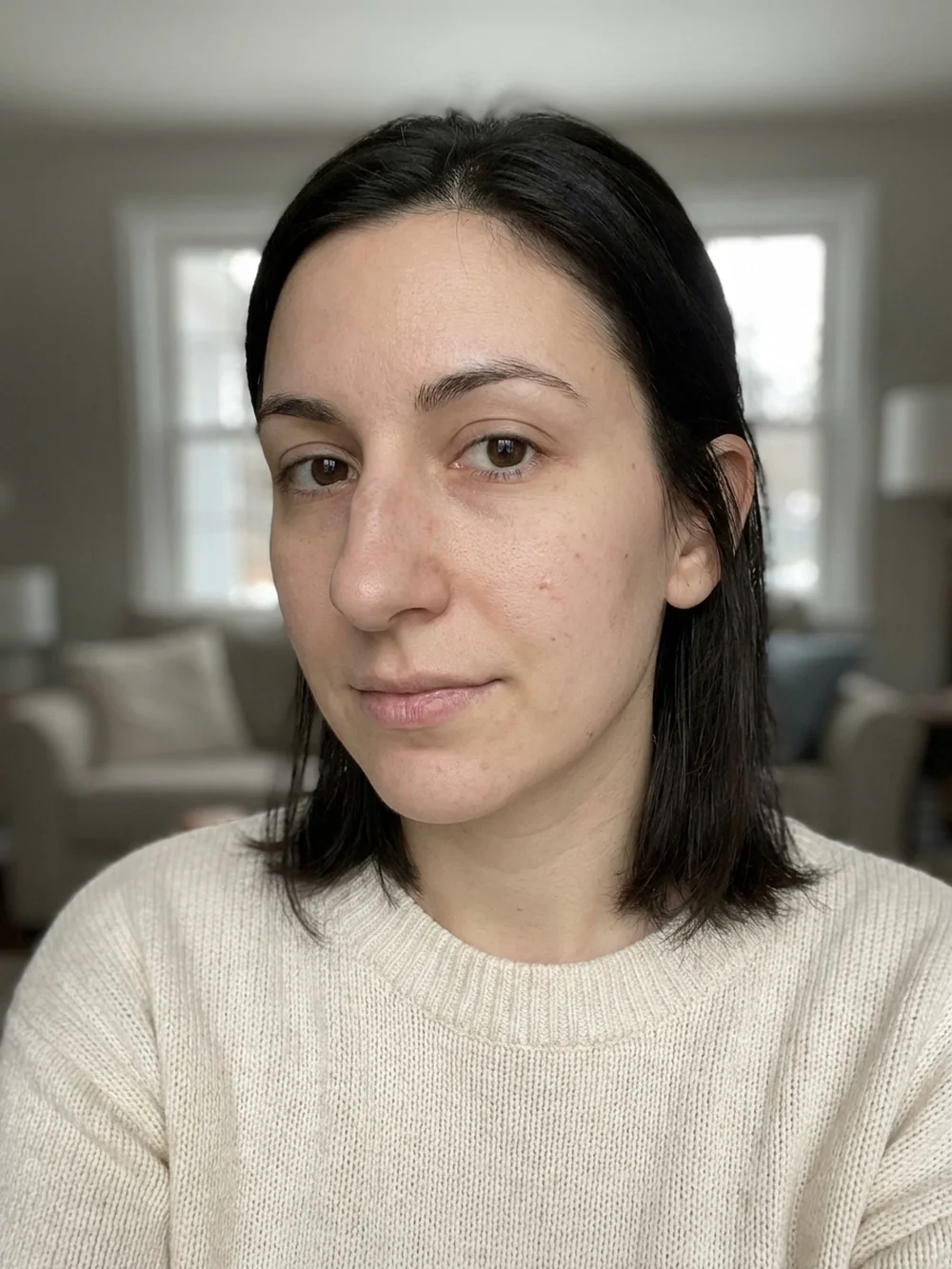
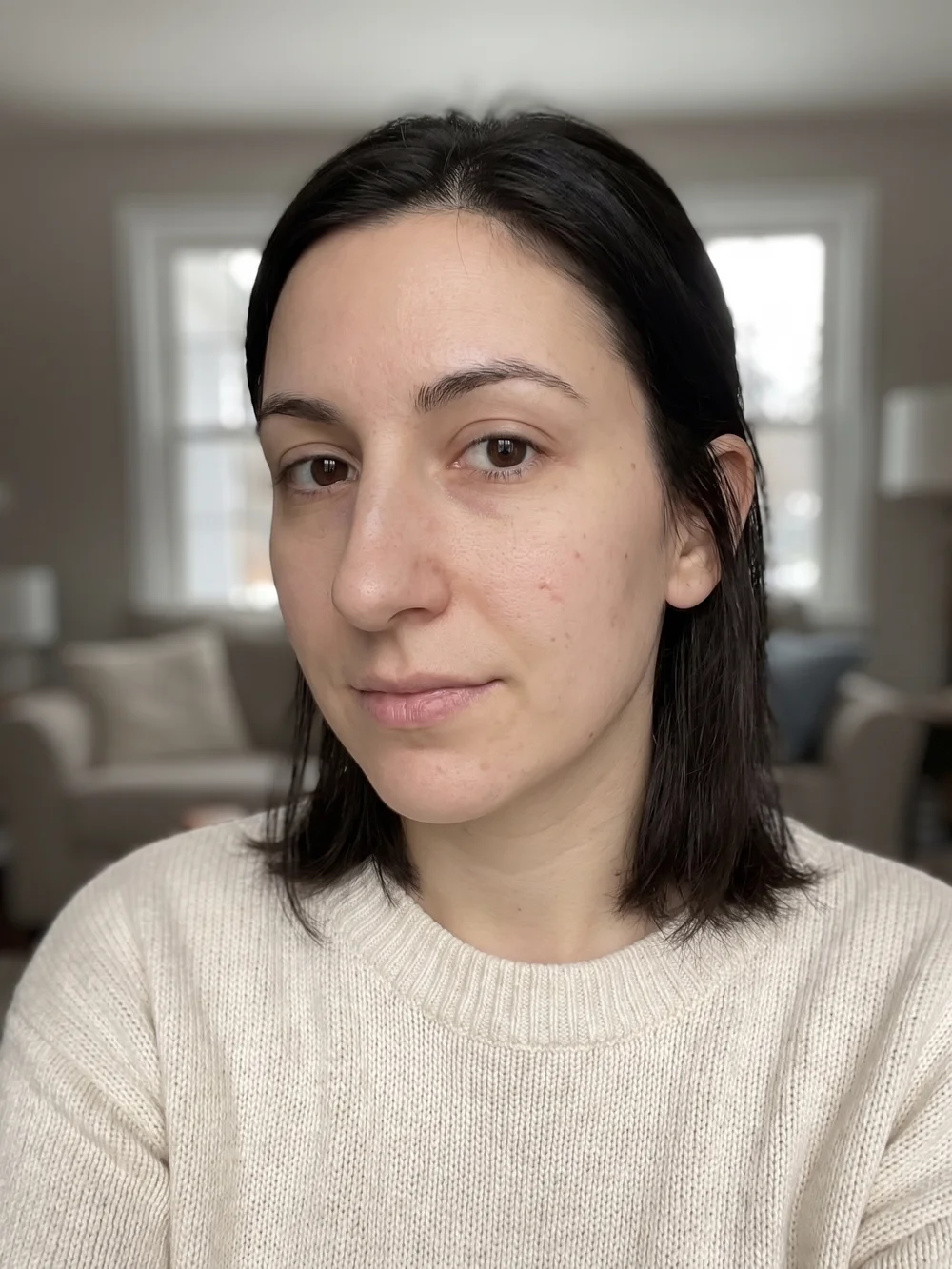
A rhinoplasty simulator answers the question every consultation starts with: what would my nose actually look like? Plastic Surgery AI generates a photorealistic result on your own photo, keeping your face, skin and lighting exactly as they are and changing only the nose.

Upload a front photo and, if you like, a side profile. You get both views back, a slider to compare, and an optional written report that describes what changed and what to ask a surgeon.


Download on the App Store Get it on Google Play
Front photo before rhinoplasty AI rhinoplasty simulator result, front view
‹›
BeforeAfter

AI-generated visualization on a synthetic face. Drag to compare.

How it works

1Take or upload a photo

A clear, front-facing photo in even light. Some previews also accept a side profile.

2Pick the procedure and a style

Choose what to preview and, where offered, a style such as Natural or Straight.

3Compare before and after

Drag the slider on your own photo, save the result, and export a detailed report to bring to a consultation.

What changes

  • Bridge height and contour, including a dorsal hump
  • Tip definition and rotation
  • Nostril width and proportion
  • How the nose sits with the rest of the face
Natural RefinedStraightButtonSharpBarbie

What stays the same

  • Your identity, gender and ethnic character of the nose
  • Skin texture, hair, expression and lighting
  • Framing and background of the original photo
Good to know. The simulator is deliberately conservative: it shows a surgically realistic refinement, not a dramatic ski-slope nose. If your current nose is asymmetric or has a hump, expect the preview to address that first.

Questions

How accurate is a rhinoplasty simulator?

It is a visualization, not a surgical plan. The preview respects your anatomy and shows a realistic range of change, but only a surgeon can tell you what your cartilage, skin thickness and breathing allow.

Can I see the side profile too?

Yes. Add a side-profile photo and the app returns a matching profile result, which is where a dorsal hump or tip projection is easiest to judge.

Which nose styles can I preview?

Natural Refined, Straight, Button, Sharp and Barbie, plus an automatic option that lets the AI choose the most harmonious refinement for your face.

Is the rhinoplasty simulator free?

The app is free to download and try. Additional previews and the detailed report use credits or a subscription.

Do you keep my photos?

Photos are used only to generate your preview and are deleted when you delete the analysis or your account. They are never used to train AI models.

Related previews

From the blog

See it on your photo

Free to try on iOS and Android. Your photos are deleted when you delete the analysis.

Download on the App Store Get it on Google Play

Every image on this page is an AI-generated visualization on a synthetic face. It is not a medical prediction and not a substitute for a consultation with a qualified professional.